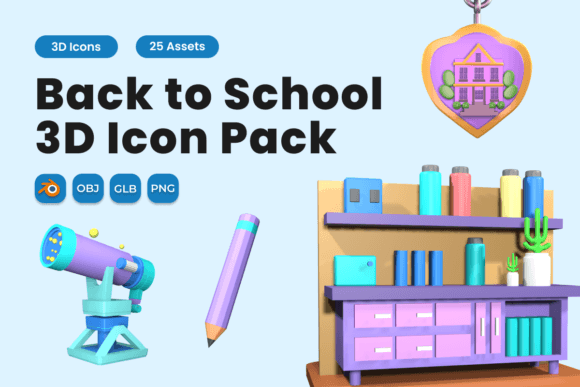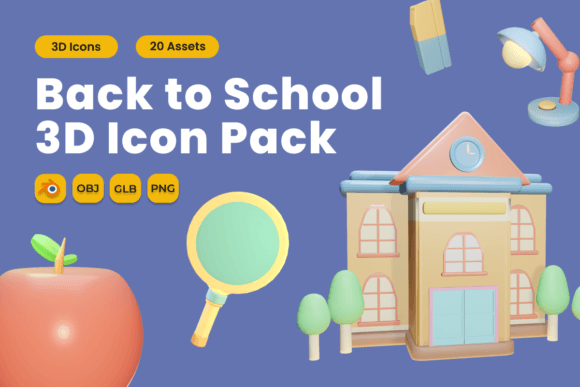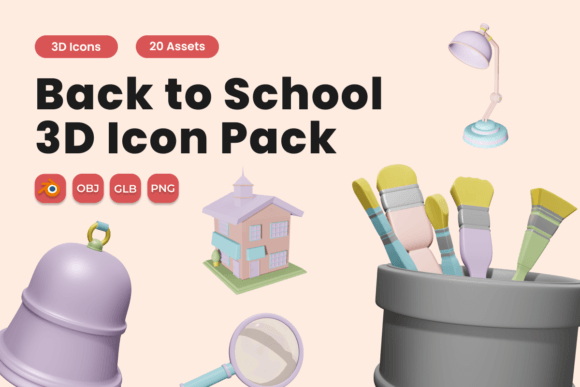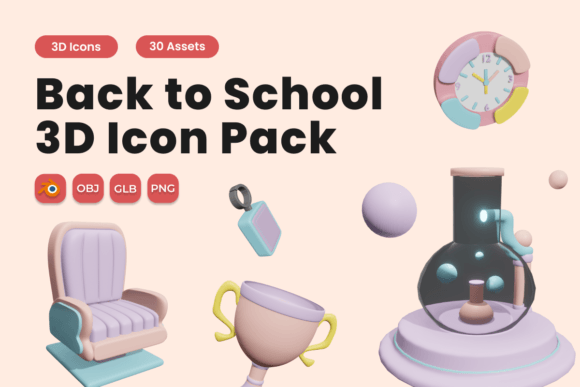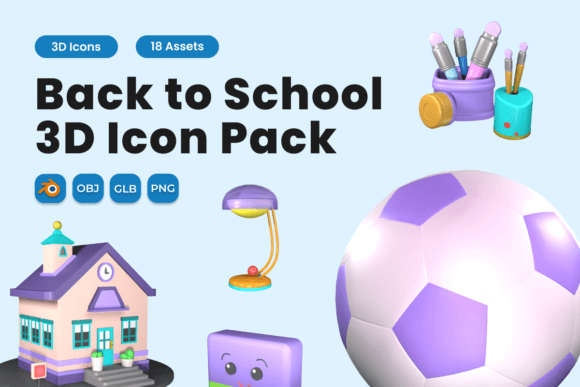
Back to School 3D Icon Pack Vol 4: Elevate Your Educational Designs with Depth, Clarity, and Instant Visual Impact
As classrooms reopen and learning initiatives ramp up each fall, educators, designers, marketers, and school administrators face a shared challenge: communicating energy, structure, and approachability—fast. Whether you're updating a district website, designing a student engagement app, or preparing orientation materials for new families, first impressions matter. That’s where the Back to School 3D Icon Pack Vol 4 steps in—not as just another graphic asset, but as a practical, ready-to-deploy solution that bridges visual appeal with functional clarity.
Unlike flat or stylized icons that risk blending into the background, this collection delivers 18 carefully sculpted 3D icons built around real-world back-to-school moments: open notebooks, stacked textbooks, graduation caps, digital tablets, chalkboards, backpacks, pencils, apples, and more. Each icon is rendered with realistic lighting, subtle surface textures (like paper grain or matte plastic), and vibrant, accessible color palettes—designed not only to catch the eye but to support quick recognition and emotional resonance.
Why Realistic 3D Icons Solve Real Design Problems
Many teams struggle with inconsistent visuals across platforms—especially when scaling from print flyers to mobile-responsive websites. A flat icon may look crisp on a desktop banner but lose legibility on a small tablet screen. Others rely on stock imagery that feels generic or overly complex, diluting messaging instead of reinforcing it. The Back to School 3D Icon Pack Vol 4 addresses these issues head-on by offering:
- Scalable clarity: High-resolution PNGs (with transparent backgrounds) ensure sharp rendering at any size—from social media avatars to large-format banners.
- Cross-platform flexibility: GLB files work seamlessly in web-based 3D viewers and modern CMS platforms; OBJ files integrate smoothly into professional design tools like Adobe Dimension or Blender.
- Editable depth: The included BLEND file gives experienced designers full control over lighting, materials, and camera angles—ideal for customizing tone or matching brand guidelines.
This isn’t about adding “wow” for its own sake. It’s about reducing cognitive load for your audience. When a parent sees a 3D icon of a child holding a tablet next to a calendar icon on a school registration page, they instantly grasp the concept of “digital enrollment”—no lengthy explanation needed.
Practical Applications Across Roles and Workflows
Different users interact with the Back to School 3D Icon Pack Vol 4 in ways that match their goals and technical comfort:
- Educators and curriculum coordinators use the icons to visually organize lesson plans, annotate digital worksheets, or build interactive classroom slides. For example, pairing the 3D “open book” icon with a “math symbol” icon helps students quickly identify subject-specific resources.
- School marketing teams embed icons into email campaigns, event posters, and welcome kits. The “backpack + apple” combo, for instance, adds warmth and familiarity to a new-student orientation announcement—making institutional communication feel more human-centered.
- Web and UX designers leverage GLB files for micro-interactions—such as a gentle 3D rotation when hovering over a “register now” button—or export static PNGs for consistent navigation menus across devices.
- Small business owners (like tutoring centers or after-school program providers) use the icons to strengthen branding without hiring a designer—adding visual cohesion to Canva templates, Google Sites, or printed handouts.
Importantly, no specialized 3D software is required to benefit. Even if you’ve never opened Blender, the PNG versions are drag-and-drop ready. And because all icons share a unified visual language—consistent perspective, lighting direction, and color harmony—they maintain professionalism whether used individually or grouped in a set.
What Makes Vol 4 Stand Out From Earlier Versions
While previous volumes laid a strong foundation, Back to School 3D Icon Pack Vol 4 refines what matters most in practice: usability and relevance. This edition introduces more digitally grounded elements—like a sleek laptop, wireless earbuds, and a QR code badge—reflecting how hybrid and tech-integrated learning has evolved. At the same time, it preserves timeless symbols (the classic red apple, lined notebook, and mortarboard) so materials remain inclusive and universally understood.
The file structure is also optimized for efficiency: each icon is named intuitively (e.g., icon_backpack_3d.png), and formats are organized into clearly labeled folders. There’s no hunting through nested archives—just immediate access to what you need, when you need it.
Getting Started: Simple Steps, Stronger Results
You don’t need to overhaul your entire workflow to see value. Start small:
- Replace one flat icon in your upcoming newsletter with the 3D “school bus” or “calendar” version—and note the increase in click-through rates.
- Add the “graduation cap” icon as a subtle watermark behind a staff appreciation slide deck.
- Use the BLEND file to adjust the lighting on the “notebook” icon, matching your brand’s primary color scheme before exporting a new PNG.
And remember: consistency compounds impact. Using even three or four icons from the pack across multiple touchpoints builds visual continuity—helping your school or organization feel more cohesive, trustworthy, and thoughtfully designed.
Thanks for choosing our Back to School 3D Icon Pack Vol 4. These aren’t just illustrations—they’re tools for clearer communication, faster comprehension, and more engaging learning experiences. Have fun with them, adapt them, and let them help you make this school year more vivid, intuitive, and inspiring—for everyone involved.