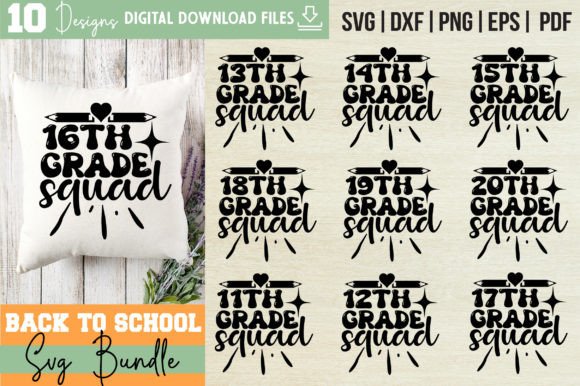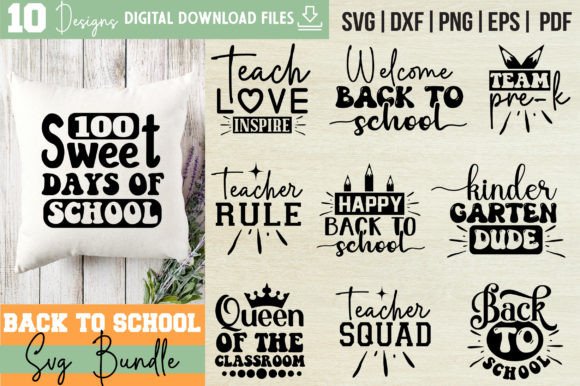
Back to School SVG Bundle Vol-19
Whether you're designing custom classroom signs, launching a back-to-school merch line, or crafting personalized stationery for your students—or your own kids—Back to School SVG Bundle Vol-19 delivers precision, flexibility, and creative control in one organized digital package. This isn’t just another collection of clipart: it’s a thoughtfully built toolkit for makers who value clean layers, cross-platform compatibility, and real-world usability.
What’s Inside—and Why It Matters
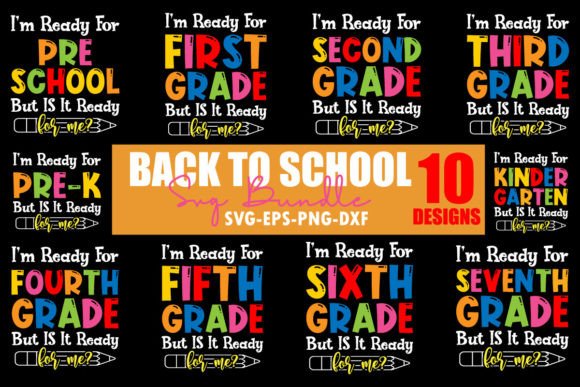
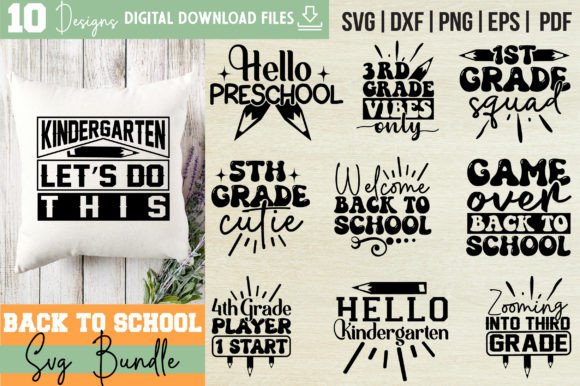
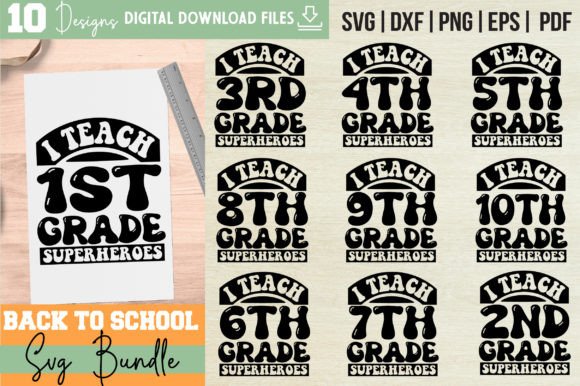
You get 10 original, hand-crafted designs—each delivered in five essential formats: SVG, EPS, PNG (300 DPI with transparent background), DXF, and PDF. That means whether you’re cutting with a Cricut or Silhouette, editing vectors in Adobe Illustrator, importing into AutoCAD for signage layouts, or placing high-res graphics into Canva or Procreate—the files adapt without compromise.
The “Word By Layer” SVG structure is especially valuable. Each phrase or element—like “First Day of School,” “Classroom Ready,” or “Learning Starts Here”—is separated into individual, editable layers. You can easily hide, recolor, resize, or rearrange parts without flattening or guessing. No more wrestling with grouped objects or opaque backgrounds. Just clarity, control, and speed.
Creative Applications That Go Beyond T-Shirts
Yes, these designs look great on tees—but their strength lies in versatility. Educators use them to create consistent, branded classroom materials: welcome banners, behavior charts with editable headers, student name tags with matching fonts, and bulletin board kits that hold up across the semester. The transparent PNGs drop seamlessly into Google Slides or PowerPoint for interactive lesson intros or parent newsletter graphics.
Small business owners—especially those selling on Etsy, Shopify, or at local craft fairs—leverage the EPS and SVG files to build cohesive product lines. One design might become a heat-transfer vinyl shirt, the same vector scaled and adapted for a ceramic mug decal, then repurposed as a cut-out wood sign for a teacher’s lounge. Because all files are fully editable, you’re not locked into one size, color, or layout.
Hobbyists and home decorators use the DXF files for laser-cut wall art or CNC-engraved chalkboard frames. The PDFs serve as print-ready assets for letterpress-style greeting cards or laminated desk placards. Even bloggers and curriculum designers pull elements into Canva templates—using the layered SVGs to swap out text for seasonal updates (e.g., swapping “August” for “September” or “Kindergarten” for “5th Grade”) without redesigning from scratch.
Design Integrity Meets Practical Workflow
Each design in Back to School SVG Bundle Vol-19 balances visual warmth with technical discipline. Rounded sans-serif typography pairs with subtle school-themed accents—notebooks, pencils, apples, and open books—but never in a clichéd way. There’s no forced nostalgia or cartoon overload. Instead, the motifs support clarity: they guide the eye, reinforce messaging, and leave room for your brand voice to come through.
That matters when consistency builds trust. If you run a tutoring service, using the same layered “Let’s Grow Together” design across your website banner, email header, and printed handouts creates continuity. If you’re an educator building a classroom identity, applying the same color palette and spacing rules—enabled by editable layers—helps students recognize transitions, routines, and expectations at a glance.
How Different Users Get Real Work Done
- Educators: Import SVGs directly into Cricut Design Space to cut vinyl for door decals or laminated center labels. Use the transparent PNGs in Seesaw or ClassIn to label digital activity folders.
- Freelance Designers: Drop EPS files into Adobe Illustrator, apply your client’s brand colors via global swatches, and deliver layered source files—ready for future edits or localization (e.g., translating “Welcome Back” into Spanish while keeping layout intact).
- Small Business Owners: Load DXF files into LightBurn for precise laser engraving on acrylic keychains or wooden bookmarks—then list them alongside matching mugs using the same design, scaled and optimized per surface.
- Hobbyists & Parents: Open SVGs in Inkscape (free) to delete or simplify layers before cutting iron-on for backpacks or lunchboxes—no subscription required.
Keeping It Organized, Effective, and Original
Avoid clutter by using layers intentionally—not just because they’re available. Before cutting or printing, ask: Does every visible layer serve the message? Can this background element be removed for a cleaner silhouette? Is the font weight balanced across lines? The bundle gives you the freedom to refine; use it.
To maintain originality, combine elements across designs. Overlay a pencil icon from one file onto a “New Year, New Goals” phrase from another. Adjust stroke width in Illustrator to match your existing brand guidelines. Export new PNG variations at different aspect ratios for Instagram carousels vs. printable checklists.
And remember: digital download means instant access—but also responsibility. Store your .zip file securely, rename folders clearly (e.g., “BSB-Vol19-SVG-Originals”), and keep backups. Version-control matters when you’re iterating across projects.
Final Thought: Tools Enable, But You Direct
Back to School SVG Bundle Vol-19 doesn’t promise viral trends or overnight success. What it does offer is reliability—clean files, smart layering, broad compatibility, and designs that respect both your time and your audience’s attention. Whether you’re prepping for the first bell, launching a side hustle, or supporting learners in ways big and small, these assets meet you where you are: capable, intentional, and ready to make something useful.
No physical product. No waiting. Just focused creative fuel—downloaded, unzipped, and ready to adapt.