Back to School Digital Paper and Clipart: Your All-in-One Creative Toolkit for Real-Life Projects
Whether you're designing a welcome-back bulletin board for your third-grade classroom, crafting personalized invitations for your child’s first-day-of-school photo session, or building a cohesive brand identity for an education-focused small business—Back to School Digital Paper and Clipart quietly solves more problems than you might expect. It’s not just “cute school-themed graphics.” It’s a versatile, ready-to-use resource designed for people who need polished, print-ready visuals—fast—and who value flexibility over fuss.
What Exactly Is Back to School Digital Paper and Clipart?
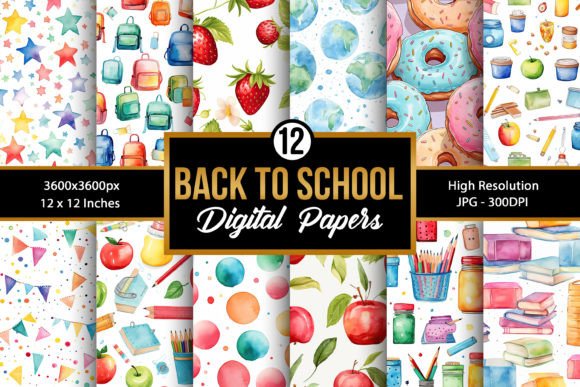
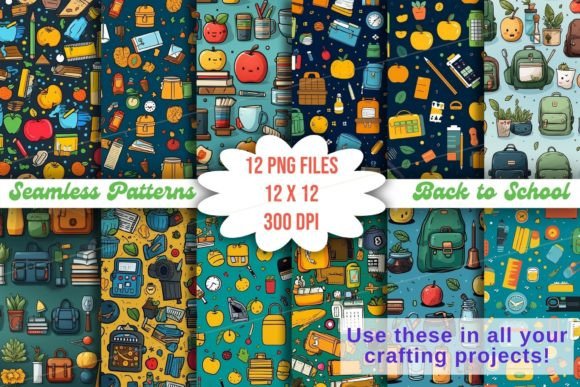
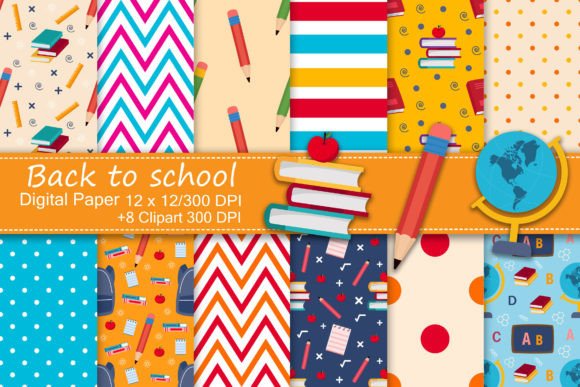
Think of it as two complementary tools in one purchase: digital paper and clipart. The 12 JPEG digital papers are high-resolution (300 DPI), 12×12 inch backgrounds—ideal for layering, printing, or using as full-page designs. They feature thoughtful school-inspired patterns: chalkboard textures with subtle math symbols, watercolor apples and pencils, lined notebook motifs, geometric lockers, and soft pastel calendars—all designed to feel warm, inclusive, and age-neutral.
The 8 PNG clipart files are equally intentional: each is sized at 12×12 inches at its widest/tallest point, with clean transparent backgrounds. You’ll find hand-drawn backpacks, stacked books with visible spines, graduation caps with tassels, friendly owls holding pencils, and minimalist rulers and compasses—no pixelated edges, no awkward shadows, no licensing surprises.
Where This Toolkit Fits Into Real Life (Beyond the Obvious)
Yes, teachers use it—but so do homeschooling parents turning lesson plans into tactile learning kits. So do event planners curating a “first day of kindergarten” celebration complete with custom banners, cupcake toppers, and thank-you tags. And yes—surprisingly often—it shows up in unexpected places like baby showers themed around “future scholar” or bridal showers where guests receive mini notebooks stamped with monogrammed clipart.
- Classroom & Homeschool Use: Print digital papers as desk name tags, behavior chart backgrounds, or interactive flashcards. Layer clipart over plain worksheets to make vocabulary cards feel less clinical and more inviting.
- Small Business Branding: A tutoring service can use the chalkboard-patterned paper as a blog header background, then overlay the pencil clipart as a subtle watermark on downloadable study guides. A stationery shop might integrate the apple motif into invoice templates or email newsletter dividers.
- Personal Crafting & Gifting: Turn the lined-paper design into printable gift tags for teacher appreciation gifts. Use the transparent ruler clipart to create a “measure your growth” milestone banner for a child’s room.
- Digital + Physical Hybrids: Design a birthday party invitation in Canva using the watercolor apple paper as the base, then add the owl clipart as a corner accent. Print it on cardstock—or upload the same file directly to a local print shop for professional results.
Who Benefits Most—and How Their Needs Differ
A public school art teacher may prioritize quick reproducibility: she downloads the ZIP, drags a JPEG into Google Slides, crops it to fit a slide background, and prints 30 copies before homeroom. Her goal? Consistency and speed—not customization.
A freelance graphic designer working with a Montessori preschool, meanwhile, treats the files as raw material: she imports the transparent PNG clipart into Illustrator, recolors the backpack icon to match the school’s brand palette, and scales it precisely for a new website favicon. Her goal? Adaptability and professional polish.
A busy parent planning a “Backpack Blessing” church event uses the digital papers to build printable place cards and clipart to decorate DIY favor bags. She doesn’t need advanced software—just the ability to open a JPEG in Preview or Paint and resize it. Her goal? Heartfelt, handmade charm without hours of trial and error.
Practical Considerations Before You Download
This isn’t software—it’s a set of static image files. That means what you gain in simplicity (no subscriptions, no logins), you trade for some hands-on control. You’ll need basic familiarity with image handling: opening JPEGs and PNGs, resizing without distortion, and understanding how transparency works in your chosen tool (Canva, Photoshop, Affinity Designer, even Microsoft Word).
If you’re planning large-format printing—like a 24×36 inch classroom poster—the 12×12, 300 DPI resolution holds up beautifully *at that size*, but pushing beyond may soften details. For web use (blog headers, social media banners), the same files work perfectly—no downsampling needed.
Also worth noting: this is a single-download product. There are no monthly updates or seasonal expansions included. What you get is what’s listed—12 papers, 8 clipart files, all school-themed, all optimized for craft and communication. No hidden upsells. No “premium version” behind a paywall.
Strengths That Make It Worth Your Time
First, consistency. Every paper and clipart element shares the same visual language—soft edges, balanced color weights, intentional negative space. That means mixing and matching feels intuitive, not jarring.
Second, practical sizing. The 12×12 inch standard matches common scrapbook and printable dimensions, so no guesswork when aligning elements in layout tools. And because everything is 300 DPI, whether you’re printing a tiny tag or a full sheet of labels, clarity stays intact.
Third, thematic versatility. These aren’t cartoonish or overly juvenile. The designs lean into timeless school symbolism—notebooks, pencils, apples, globes—without relying on clichés like smiling letters or exaggerated mascots. That makes them equally fitting for a college prep workshop or a toddler’s “All About Me” project.
A Few Gentle Realities to Keep in Mind
You won’t find editable vectors here—so if you need to tweak individual lines or paths inside an icon, you’ll need to trace or recreate. And while the colors are thoughtfully coordinated, they’re fixed—no built-in color swatches or HEX codes provided. If your brand requires exact Pantone matching, plan for minor adjustments in your editing software.
Also, remember: this is a digital-only purchase. No physical swatch books, no printed samples, no mailed USB drives. Everything arrives instantly as ZIP files after payment—ideal for last-minute projects, but not suited for users who prefer tactile review before committing.
When You’re Ready to Create, Not Just Browse
There’s something quietly empowering about having a reliable, well-designed toolkit already waiting in your downloads folder. No hunting for free assets with unclear licenses. No stitching together mismatched elements from five different sources. Just open the ZIP, choose a paper, drop in a clipart piece, and start communicating—whether that’s “Welcome back!” to your students, “Thank you for teaching my child” to their teacher, or “We’re launching our literacy program” to your community.
It’s not about replacing creativity—it’s about removing friction so your ideas land clearly, warmly, and on time.